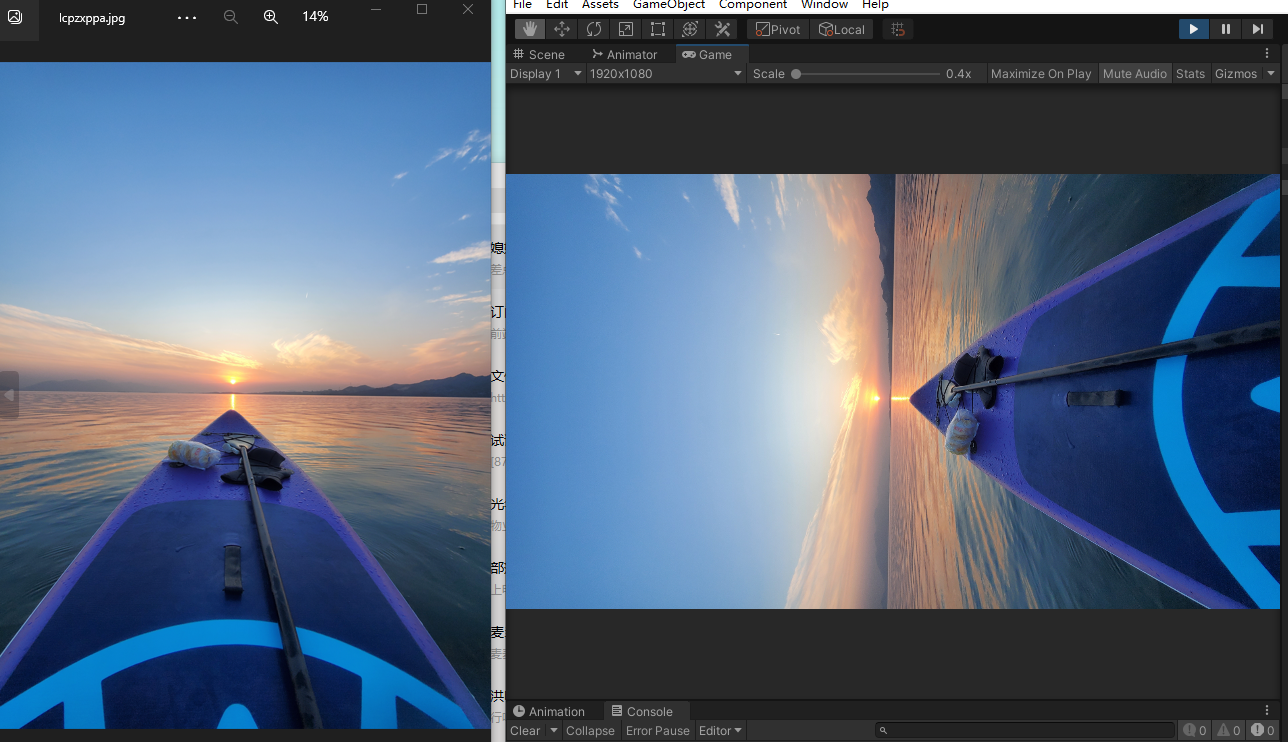
原因
通过www下载照片,在显示后会出现旋转的现象
通过查询资料发现,是照片自带的 Exif信息中包含旋转信息,因此我们需要根据Exif 旋转照片到正确方向
可交换图像文件格式(英语:Exchangeable image file format,官方简称Exif),是专门为数码相机的照片设定的,可以记录数码照片的属性信息和拍摄数据

Unity 读取jpg照片 Exif信息
1
2
3
4
5
6
7
8
9
10
11
12
13
14
15
16
17
18
19
20
21
22
23
| /// <summary>
/// 读取jpg照片信息
/// </summary>
/// <param name="fiBYTES"></param>
/// <param name="Name"></param>
/// <returns></returns>
public static JpegInfo ReadJpeg(this byte[] fiBYTES, string Name)
{
DateTime then = DateTime.Now;
using (MemoryStream fs = new MemoryStream(fiBYTES))
{
ExifReader reader = new ExifReader(fs)
{
info =
{
FileSize = (int)fs.Length,
FileName = Name,
LoadTime = (DateTime.Now - then)
}
};
return reader.info;
}
}
|
下载并旋转到正确方向
1
2
3
4
5
6
7
8
9
10
11
12
13
14
15
16
17
18
19
20
21
22
23
24
25
26
27
28
29
30
31
32
33
34
35
36
37
38
39
40
41
| IEnumerator AsyDownload(string url)
{
WWW www = new WWW(url);
yield return www;
if (!string.IsNullOrEmpty(www.error))
{
Debug.LogError("下载错误");
}
else if (www.isDone)
{
var texture = www.texture;
try
{
var jpgInfo = www.bytes.ReadJpeg("");
if (jpgInfo.IsValid)
{
switch (jpgInfo.Orientation)
{
case ExifOrientation.BottomLeft:
texture = texture.RotationRight90();
break;
case ExifOrientation.BottomRight:
texture = texture.RotationRight90();
break;
case ExifOrientation.TopRight:
// 验证了此处
texture = texture.RotationRight90();
break;
case ExifOrientation.TopLeft:
break;
}
}
}
catch (Exception e)
{
Debug.Log("不存在 exif 信息");
}
Image.texture = texture;
}
}
|
旋转图片
1
2
3
4
5
6
7
8
9
10
11
12
13
14
15
16
17
18
19
20
21
22
23
24
25
26
27
28
29
30
31
32
33
34
35
36
37
38
39
40
41
42
43
44
45
46
47
48
49
50
51
52
53
54
55
56
57
58
59
60
61
62
63
64
65
66
67
68
69
70
71
72
73
74
75
76
77
78
79
80
81
82
83
84
85
86
87
88
89
90
91
92
93
94
95
96
97
98
99
100
101
102
103
104
105
106
107
108
109
110
111
112
113
114
115
116
| public static class TextureExtent
{
public static Texture NewSize(this Texture tex, int width, int height)
{
if (null == tex)
return null;
tex.filterMode = FilterMode.Point;
RenderTexture rt = RenderTexture.GetTemporary(width, height);
rt.filterMode = FilterMode.Point;
RenderTexture.active = rt;
Graphics.Blit(tex, rt);
var nTex = new Texture2D(width, height);
nTex.ReadPixels(new Rect(0, 0, width, height), 0, 0);
nTex.Apply();
RenderTexture.active = null;
return nTex;
}
public static Texture2D RotationLeft90(this Texture2D originalTexture)
{
Color32[] src = originalTexture.GetPixels32();
Color32[] des = new Color32[src.Length];
int srcW = originalTexture.width;
int srcH = originalTexture.height;
Texture2D desTexture = new Texture2D(srcH, srcW);
if (desTexture.width != srcH || desTexture.height != srcW)
{
desTexture.Reinitialize(srcH, srcW);
}
for (int i = 0; i < srcW; i++)
{
for (int j = 0; j < srcH; j++)
{
des[i * srcH + j] = src[(srcH - 1 - j) * srcW + i];
}
}
desTexture.SetPixels32(des);
desTexture.Apply();
return desTexture;
}
public static Texture2D RotationRight90(this Texture2D originalTexture)
{
Color32[] src = originalTexture.GetPixels32();
Color32[] des = new Color32[src.Length];
int srcW = originalTexture.width;
int srcH = originalTexture.height;
Texture2D desTexture = new Texture2D(srcH, srcW);
for (int i = 0; i < srcH; i++)
for (int j = 0; j < srcW; j++)
des[(srcW - j - 1) * srcH + i] = src[i * srcW + j];
desTexture.SetPixels32(des);
desTexture.Apply();
return desTexture;
}
public static Texture2D Rotation180(this Texture2D originalTexture)
{
Color32[] src = originalTexture.GetPixels32();
Color32[] des = new Color32[src.Length];
int srcW = originalTexture.width;
int srcH = originalTexture.height;
Texture2D desTexture = new Texture2D(srcW, srcH);
for (int i = 0; i < srcH; i++)
{
for (int j = 0; j < srcW; j++)
{
des[i * srcW + j] = src[(srcH - i) * srcW - j - 1];
}
}
desTexture.SetPixels32(des);
desTexture.Apply();
return desTexture;
}
}
|
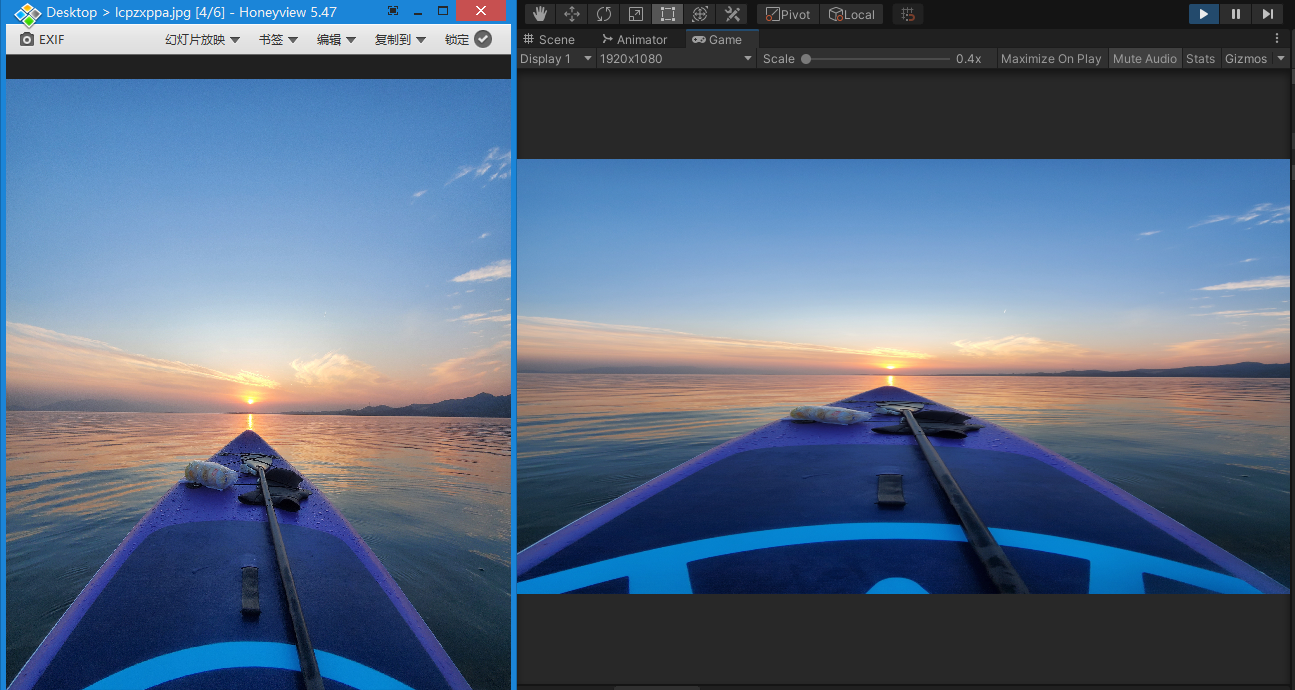
旋转后的图片
ExifLib 库下载
Unity 讨论区
Exif 介绍
Exif Demo
ExifLib 库下载地址 需要科学上网
图片旋转